Struts 2 Hidden Tag is helpful for passing the hidden values from one page to another page. In the latest web development there is very less need for using this kind of tags for the functionality. If your framework is not handling the values by default, you need to define the hidden fields and then maintain the values across the pages. These values are not displayed to the user, but hidden from the screen.
1. Action Class
package javabeat.net.struts2;

public class Struts2UITagsAction{
	private String pageId;

	public String getPageId() {
		return pageId;
	}

	public void setPageId(String pageId) {
		this.pageId = pageId;
	}

	public String execute(){
		return "success";
	}
}
2. Hidden Tag Example
Hidden.jsp
<%@ page contentType="text/html; charset=UTF-8"%>
<%@ taglib prefix="s" uri="/struts-tags"%>
<html>
<head>
</head>
<body>
	<h2>JavaBeat - Struts 2 Hidden Field Demo</h2>
	<s:form action="HiddenDemo">
		<s:hidden name="pageId" value="0" />
		<s:submit label="Submit" />
	</s:form>

</body>
</html>
Result.jsp
<%@ page contentType="text/html; charset=UTF-8"%>
<%@ taglib prefix="s" uri="/struts-tags"%>
<html>
<body>
	<h2>JavaBeat - Struts 2 Hidden Tag Demo</h2>
	<h4>
		Page Id :	<s:property value="pageId" /><br>
	</h4>
</body>
</html>
3. Struts.xml
<?xml version="1.0" encoding="UTF-8" ?>
<!DOCTYPE struts PUBLIC "-//Apache Software Foundation//DTD Struts
Configuration 2.1//EN" "http://struts.apache.org/dtds/struts-2.1.dtd">
<struts>
<constant name="struts.devMode" value="true" />
<package name="uitagsdemo" extends="struts-default">
	<action name="HiddenDemo" class="javabeat.net.struts2.Struts2UITagsAction" >
		<result name="success">Result.jsp</result>
	</action>
</package>
</struts>
4. Hidden Tag Demo
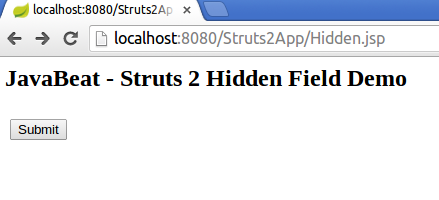
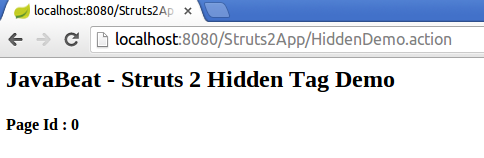
If you access the application using URL http://localhost:8080/Struts2App/HiddenDemo, you would see the following output.

 How To Set Tomcat JVM Heap Size in Eclipse?