• Menu
  • Skip to primary navigation
  • Skip to main content
  • Skip to primary sidebar

JavaBeat

Java Tutorial Blog

  • Java
    • Java 7
    • Java 8
    • Java EE
    • Servlets
  • Spring Framework
    • Spring Tutorials
    • Spring 4 Tutorials
    • Spring Boot
  • JSF Tutorials
  • Most Popular
    • Binary Search Tree Traversal
    • Spring Batch Tutorial
    • AngularJS + Spring MVC
    • Spring Data JPA Tutorial
    • Packaging and Deploying Node.js
  • About Us
  • Java
    • Java 7
    • Java 8
    • Java EE
    • Servlets
  • Spring Framework
    • Spring Tutorials
    • Spring 4 Tutorials
    • Spring Boot
  • JSF Tutorials
  • Most Popular
    • Binary Search Tree Traversal
    • Spring Batch Tutorial
    • AngularJS + Spring MVC
    • Spring Data JPA Tutorial
    • Packaging and Deploying Node.js
  • About Us

How to Protect PDF with Password using iText in Java?

October 27, 2013 //  by Krishna Srinivasan

In my previous article I have explained about how to create PDF document using iText with simple example. This tutorial explains how to add a password protection for your PDF document. iText doesn’t provide the password feature in its own API, however it internally uses another third part implementation and implements the password protection.

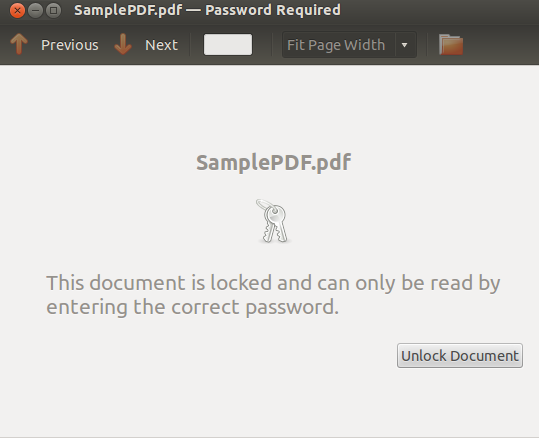
iText internally uses the library bouncycastle to generate the password PDF file. You have to download the JAR file from the given link before run the below example. Once the PDF is created, you will be asked for the password when open the document. pdfWriter.setEncryption is taking the bytes array as the arguments, so you need to convert your inputs to bytes and pass it.

  • Reading Excel using Apache POI
package javabeat.net.pdf;

import java.io.File;
import java.io.FileOutputStream;
import java.io.OutputStream;

import com.itextpdf.text.Document;
import com.itextpdf.text.Paragraph;
import com.itextpdf.text.pdf.PdfWriter;

public class PDFConversionDemo {
	    public static void main(String[] args) {
	        try {
	            OutputStream file = new FileOutputStream(new File("SamplePDF.pdf"));
	            Document document = new Document();
	            PdfWriter pdfWriter = PdfWriter.getInstance(document, file);
	            pdfWriter.setEncryption("krishna".getBytes(), "testpass".getBytes(),
	                    PdfWriter.ALLOW_PRINTING, PdfWriter.ENCRYPTION_AES_128);
	            document.open();
	            document.add(new Paragraph("First iText PDF"));
	            document.close();
	            file.close();

	        } catch (Exception e) {

	            e.printStackTrace();
	        }
	    }

}
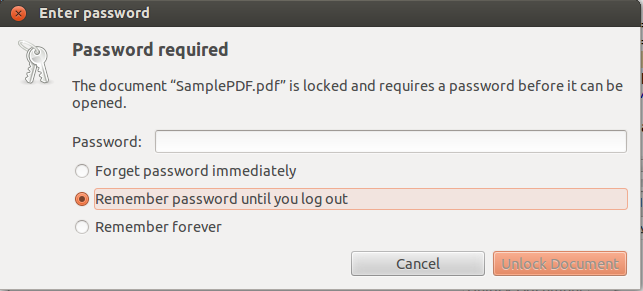
itext-pdf-password
itext-pds-password-doc

Category: JavaTag: iText, PDF

About Krishna Srinivasan

He is Founder and Chief Editor of JavaBeat. He has more than 8+ years of experience on developing Web applications. He writes about Spring, DOJO, JSF, Hibernate and many other emerging technologies in this blog.

Previous Post: « How to Create PDF using iText in Java?
Next Post: ManagedScheduledExecutorService for Implementing Concurrency Utilities in Java EE 7 – Part 2 »

Primary Sidebar

Follow Us

  • Facebook
  • Pinterest

FEATURED TUTORIALS

How to Initialize an Array in Java

Introduction to Java Server Faces (JSF)

Introduction to Java 6.0 New Features, Part–1

Java 6.0 Features Part – 2 : Pluggable Annotation Processing API

Introduction to Java Server Faces(JSF) HTML Tags

JavaBeat

Copyright © by JavaBeat · All rights reserved
Privacy Policy | Contact