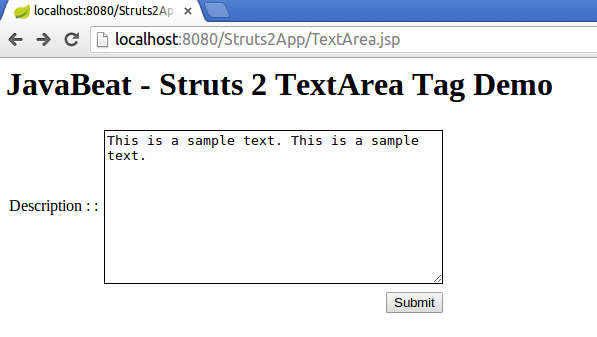
Struts 2 TextArea field is helpful for entering the multiple lines in the input box. It is similar to the textfiled tag, but in the textfield tag only one line can be entered. Lets look at the example. 1. Action Class 2. TextArea Tag Example TextArea.jsp Result.jsp 3. Struts.xml 4. TextArea Tag Demo If you …
Struts 2 Hidden Tag Example
Struts 2 Hidden Tag is helpful for passing the hidden values from one page to another page. In the latest web development there is very less need for using this kind of tags for the functionality. If your framework is not handling the values by default, you need to define the hidden fields and then …

How To Set Tomcat JVM Heap Size in Eclipse?
If JVM head size for Tomcat is not enough, you would get the error java.lang.OutOfMemoryError. If you are using eclipse, it is easy to increase the available heap size by using the server configurations. Look at the below steps to configure the VM arguments passed to JVM for running the tomcat server. 1. Open Server …
How To Resolve “Resource Is Out Of Sync With The Filesystem” Error in Eclipse?
The error in eclipse IDE Resource Is Out Of Sync With The File system happens many time when the resource is out of sync and may be updated by some other sources. We need refresh each time by default to load that files. There is settings in eclipse to permanently fix this problem. Look at …
Update Eclipse Project Facets Using Settings File
In some cases you will not be able to change the eclipse project facets through dialog boxes. It would happen many times when you want to downgrade your versions of facets used by your eclipse project. For example, If your current project configuration is Dynamic Web Module 3.0, if you try to downgrade to 2.5, …
Get URL Content using Java
This example shows how to download a URL content to your local machine. If you look at the below example, it simply takes an URL as the input and get the content and save it to the local system. File Upload and Download Using Java
How To Increase Heap Size in Eclipse?
If you get the error java.lang.OutOfMemoryError: Java heap space while running Java applications, it means that your Java application environment don’t have the sufficient space to store the values needed for your application. This could be because of the following reasons: By mistake, you have set the less memory for your Java environment (or) Your …
Convert Java Project to Web Project in Eclipse
This tutorial is for adding a simple tips to the Eclipse developers. When you have a Java project already created in your eclipse, now you want to convert that same project to a Web project instead of creating a new project. We can do that easily using the property window for that specific project. 1. …