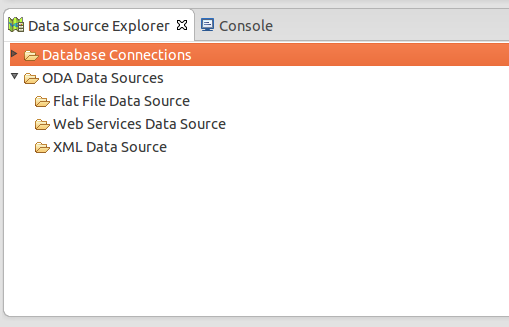
This tutorial explains the step-by-step guide for configuring the database connection within your Eclipse environment. It is one of the advantage for the developer to check the database operations within Eclipse itself instead of checking with external tool. However, this would not have the advanced database operations, but will be handy for checking the updated …
Eclipse
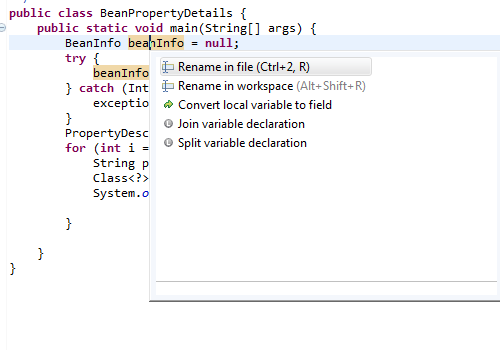
Eclipse Tips : Rename Variable (ALT + SHIFT + R)
Eclipse provides cool short cut key for renaming the variables across within a class or entire workspace. If you are not aware of this feature, you would use “find” option and replace the variable with new name. But, this will lead to a problem of not renaming all the references. You can easily rename the …
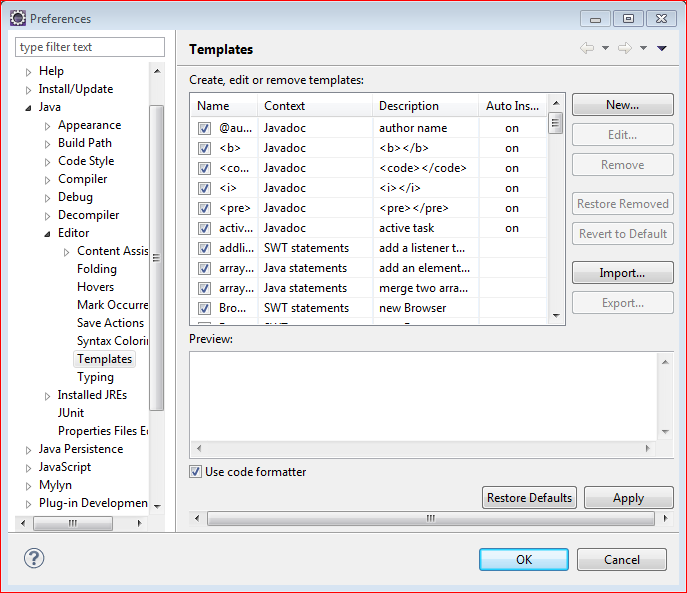
Eclipse Tips : How To Create Custom Code Template In Eclipse
One of the awesome feature in Eclipse is to create the custom code template to insert on the appropriate context. For example, there is default for loop template is exist in the Eclipse IDE, if you type for and press CTRL + SPACE, it would insert the complete for loop syntax with the condition. This …

Eclipse Tips : How To Add Server In Eclipse
This example illustrates how to add the server instance using the server wizard in Eclipse. One of the greatest advantage of using the IDE’s like Eclipse is that developers can use the server instances inside the editor itself without leaving the Eclipse environment. Eclipse itself supports the multiple server adapters to easily integrate the server …

How To Set Tomcat JVM Heap Size in Eclipse?
If JVM head size for Tomcat is not enough, you would get the error java.lang.OutOfMemoryError. If you are using eclipse, it is easy to increase the available heap size by using the server configurations. Look at the below steps to configure the VM arguments passed to JVM for running the tomcat server. 1. Open Server …
How To Resolve “Resource Is Out Of Sync With The Filesystem” Error in Eclipse?
The error in eclipse IDE Resource Is Out Of Sync With The File system happens many time when the resource is out of sync and may be updated by some other sources. We need refresh each time by default to load that files. There is settings in eclipse to permanently fix this problem. Look at …
Update Eclipse Project Facets Using Settings File
In some cases you will not be able to change the eclipse project facets through dialog boxes. It would happen many times when you want to downgrade your versions of facets used by your eclipse project. For example, If your current project configuration is Dynamic Web Module 3.0, if you try to downgrade to 2.5, …
How To Increase Heap Size in Eclipse?
If you get the error java.lang.OutOfMemoryError: Java heap space while running Java applications, it means that your Java application environment don’t have the sufficient space to store the values needed for your application. This could be because of the following reasons: By mistake, you have set the less memory for your Java environment (or) Your …